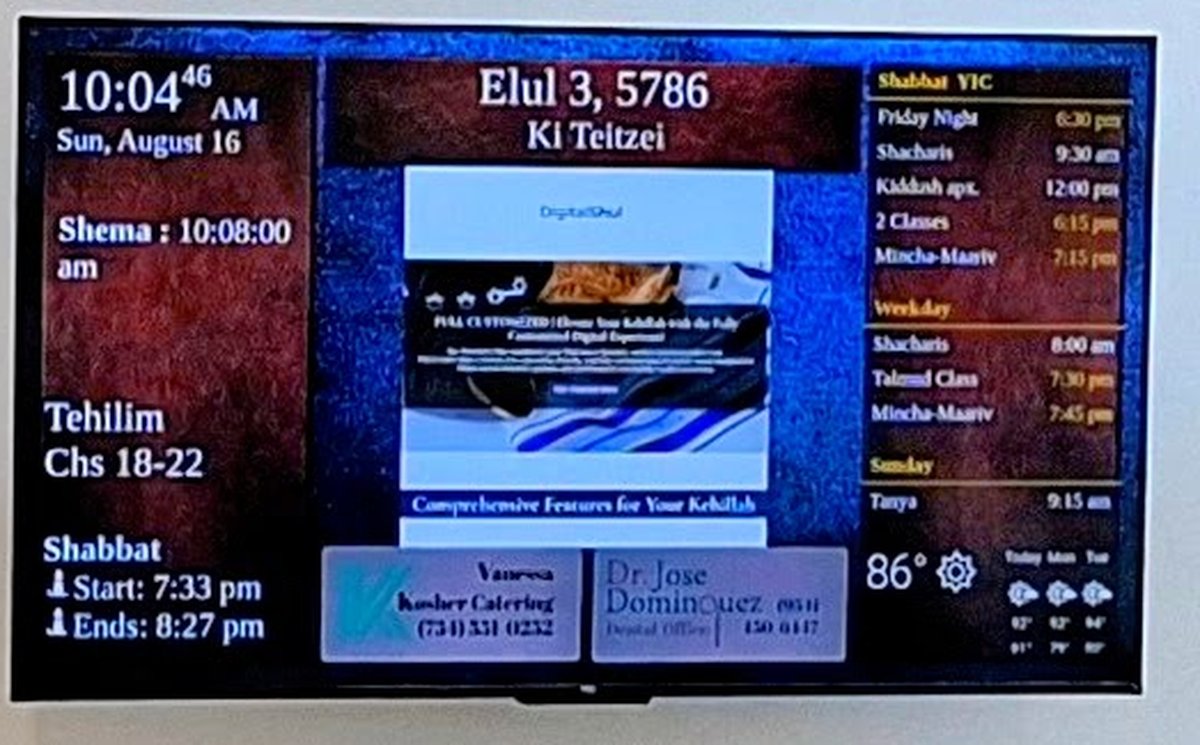
The same exact times your shul shows on its screen, on your own phone — at home, at work or travelling. Every zman explained in plain words and pictures. Free, with no account and no ads.
Whether you daven at a DigitalShul shul, want to understand the day better, or simply need a time you can trust.
01
For every member of the shul
The screen on the shul’s wall shows everyone the zmanim — but only while they are in the building. The app carries the same information to each member’s phone, so it is there before you leave home, on the way to Mincha, or when you can’t make it in at all.
02
For learning
What is Plag HaMincha? Why are there two times for the latest Shema? Every zman comes with a short explanation, and a 24-hour clock draws the whole day as a dial, so you can see where each time falls and how they relate. Where opinions differ, both are shown side by side.
03
For anyone who needs precise times
Calculated for exactly where you are — not the nearest big city. Choose your tradition, Chabad, the Gra or another, and whether you are in Israel or the diaspora. Travelling? The times follow you.
See It
The real app, on a real phone
Four screens from a single morning, exactly as they appear on the phone.
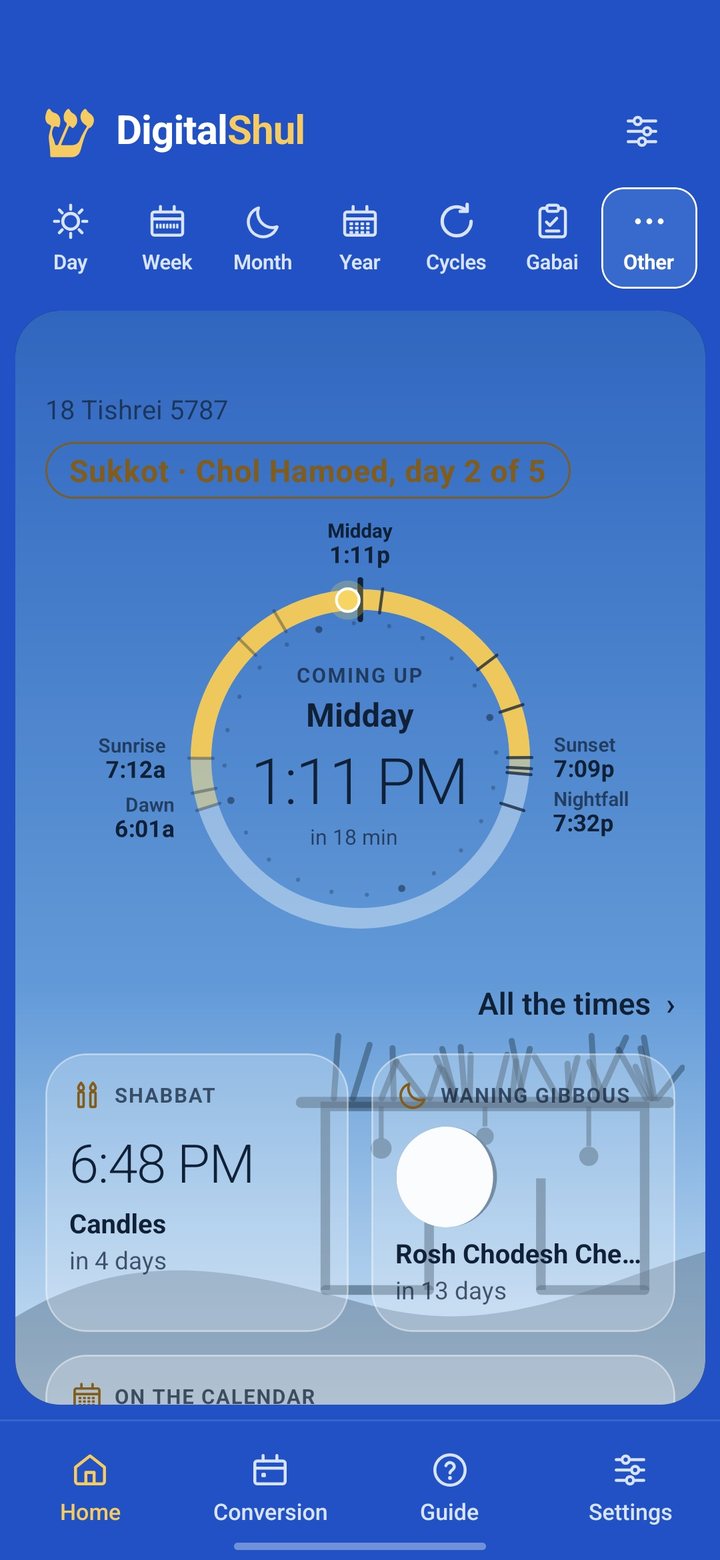
The day at a glanceThe Hebrew date, the festival, and a dial that shows what comes next and how long until it does.
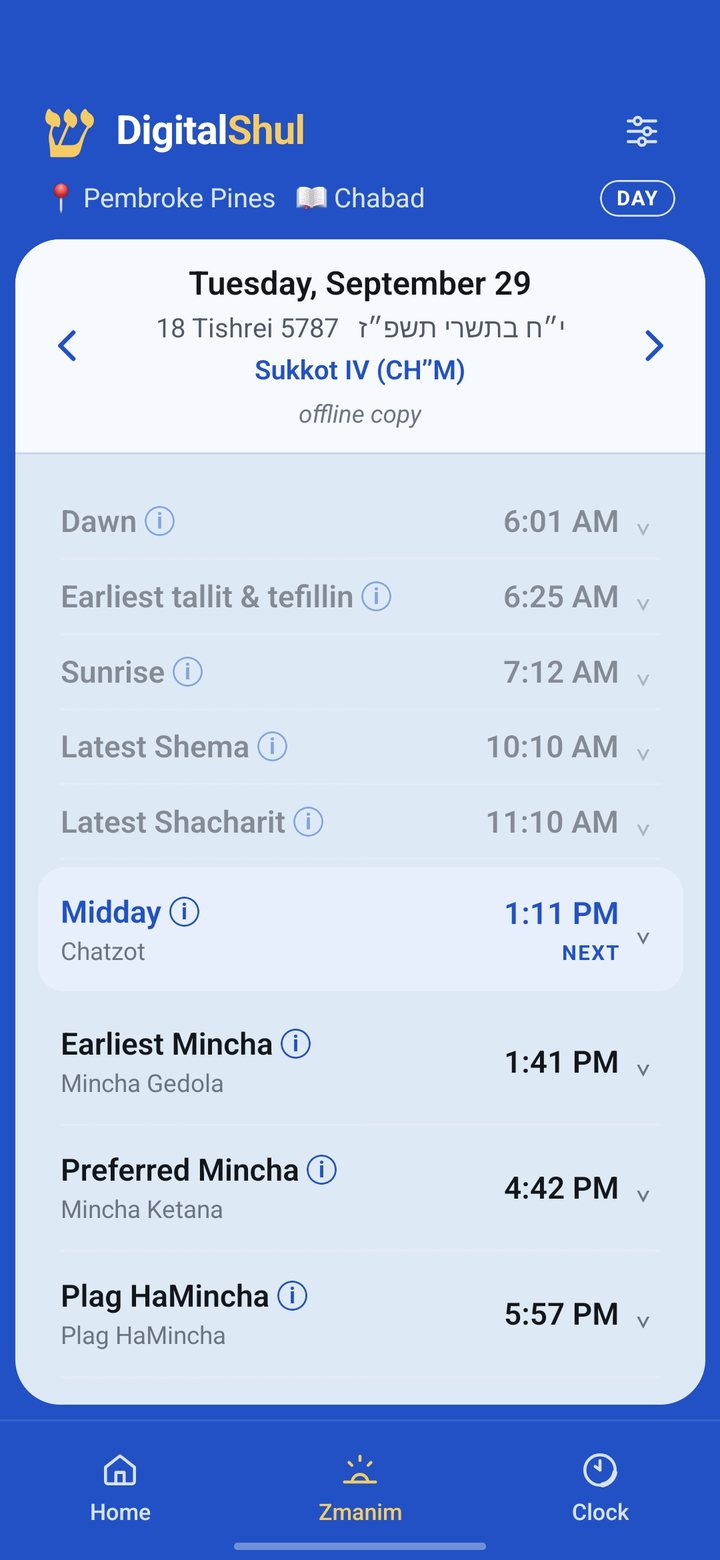
Every zman, for where you areCivil and Hebrew date on top, the next time highlighted, and an ⓘ beside each one that explains it.
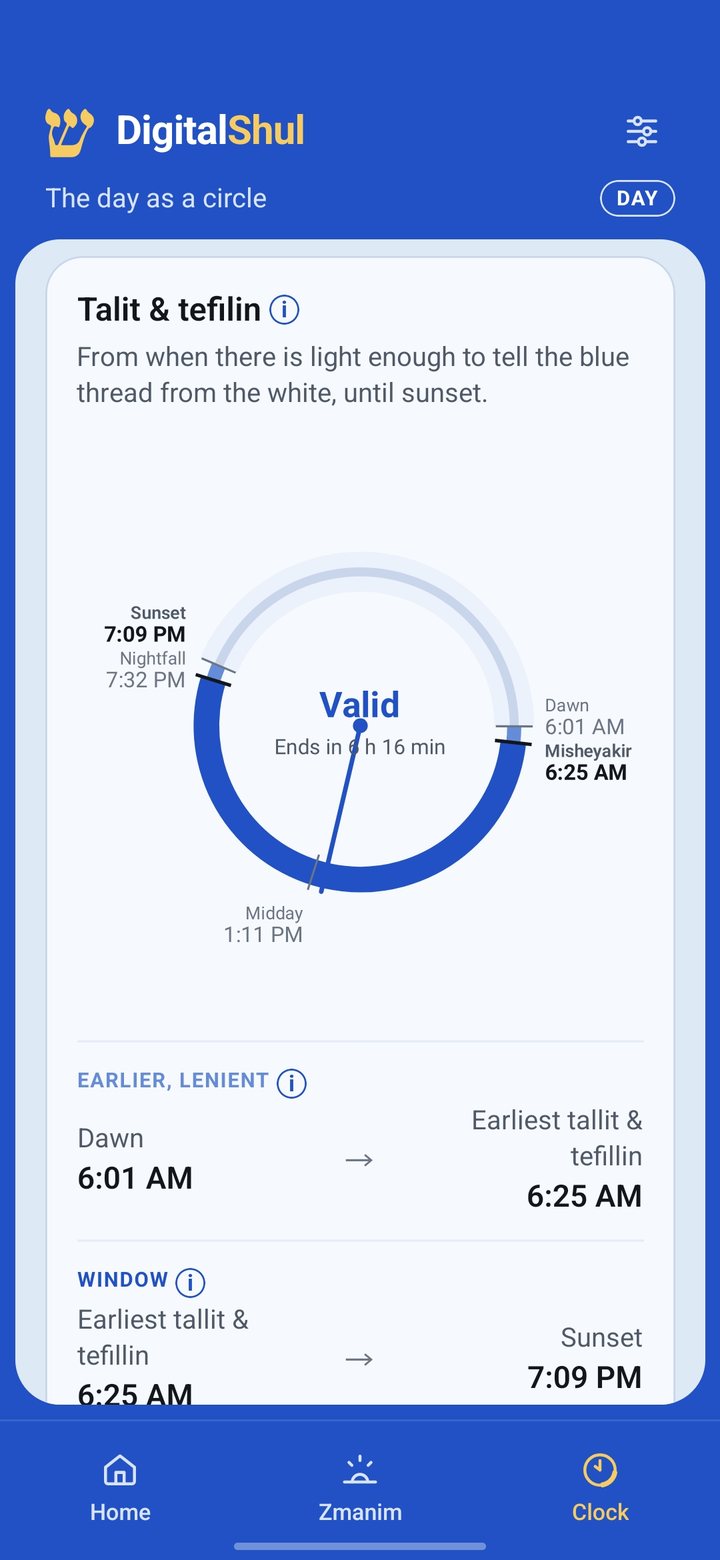
The day as a circleEach mitzvah’s window drawn on a 24-hour dial, with the lenient and the stricter opinion shown side by side.
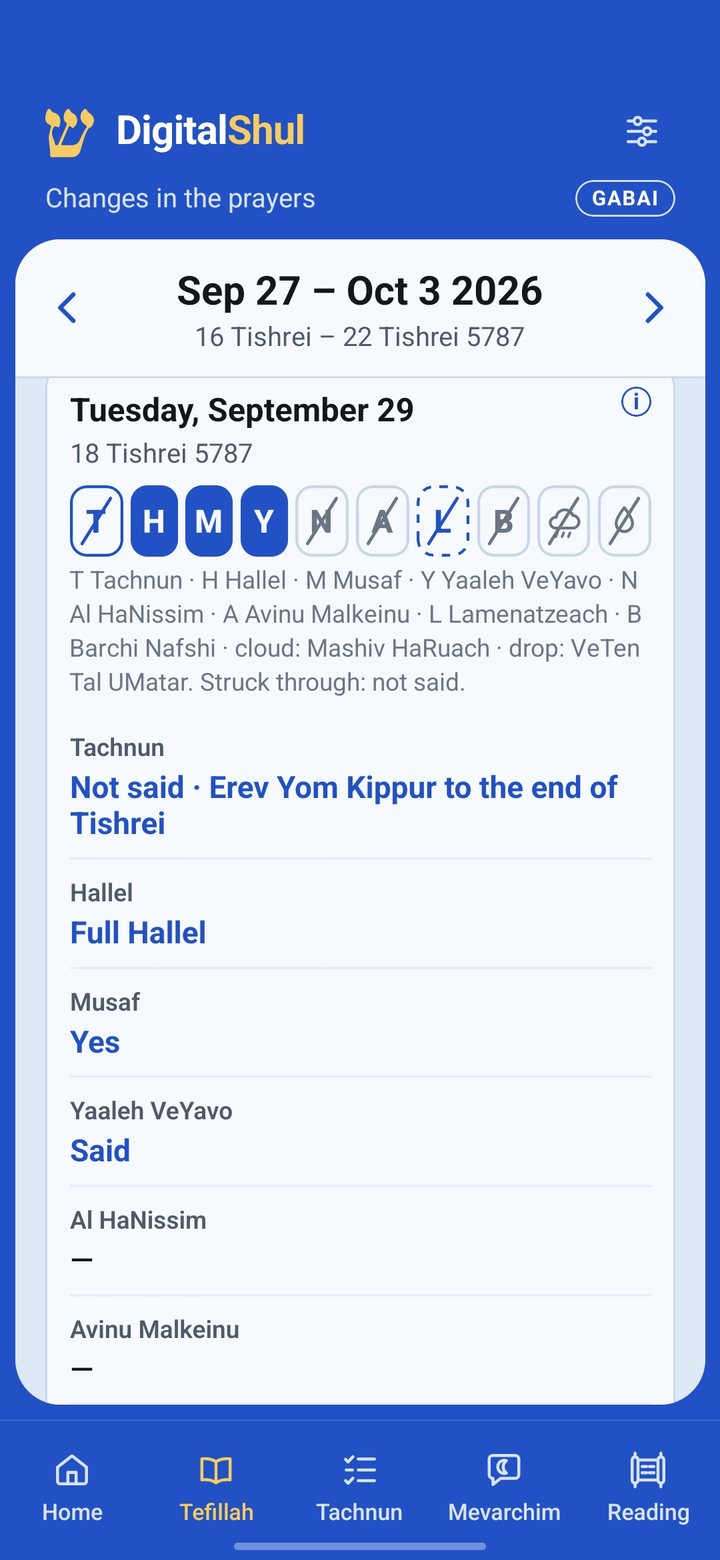
What changes in daveningTachnun, Hallel, Musaf, Yaaleh VeYavo and more, day by day — for the gabbai and for everyone else.
What’s Inside
Everything about the day, in one place
Set up in under a minute: pick your language, allow your location, choose your tradition. The zmanim open straight away.
Today’s zmanim
From dawn to nightfall, with the Hebrew date always in view. Step to any day before or after with a tap.
The day as a clock
A 24-hour dial that shows the whole halachic day at a glance — and halachic midnight next to the one on your watch.
Every zman explained
A built-in guide in plain language: what each time means, where it comes from, and why opinions differ.
Week, month, year — and the gabbai
Rosh Chodesh, Yamim Tovim and the parsha; what changes in davening each day; and a converter between Hebrew and civil dates.
Reminders that keep Shabbat
Candle lighting, Shema, Mincha, Maariv, the Omer and Kiddush Levana — weekdays only. Nothing is ever sent on Shabbat or Yom Tov.
Quiet during davening
If you allow it, the phone goes to silent by itself during your prayers and turns back on afterwards.
In English, Español, Português and עברית, fully right-to-left.
Screen & App
The wall and the pocket, telling the same time
The DigitalShul screen keeps everyone in the shul on schedule. The app keeps them on schedule when they walk out the door. Same calculations, same tradition, same exactness — so nobody arrives for a Mincha that already started.
No account, no ads, no tracking of what you do in the app. To calculate the times, only a pair of coordinates and a date leave your phone — and, if the app ever crashes, a report describing the failure. Read the privacy policy.
Questions
Before you install
Is it really free?
Yes. The app is free, with no ads, no subscription and nothing to buy inside it.
Do I need to belong to a shul with a DigitalShul screen?
No. Anyone can use the app, anywhere in the world. If your shul does have a DigitalShul screen, the app simply shows you the same zmanim wherever you are.
Which traditions does it follow?
You choose during setup: Chabad (the Alter Rebbe’s opinions), the Gra, and others. Where authorities differ on a time, the app shows the range instead of silently choosing one. You can change your choice at any time in Settings, and compare the opinions on our live zmanim page.
Does it work without internet?
The times are calculated online and then saved on your phone, so the days already loaded stay available without a connection.
When is it available for iPhone?
Android comes first, on Google Play. The iPhone version will follow — ask us on WhatsApp to be told when it is ready.
I found a mistake, or have an idea. Where do I send it?
Tap the WhatsApp button inside the app, or write to us at +1 (954) 953-0803. Every message is read, and many of the app’s features started as a suggestion.
Be among the first
The DigitalShul app is days away from Google Play. Leave us a message and we’ll send you the link the day it’s live.